

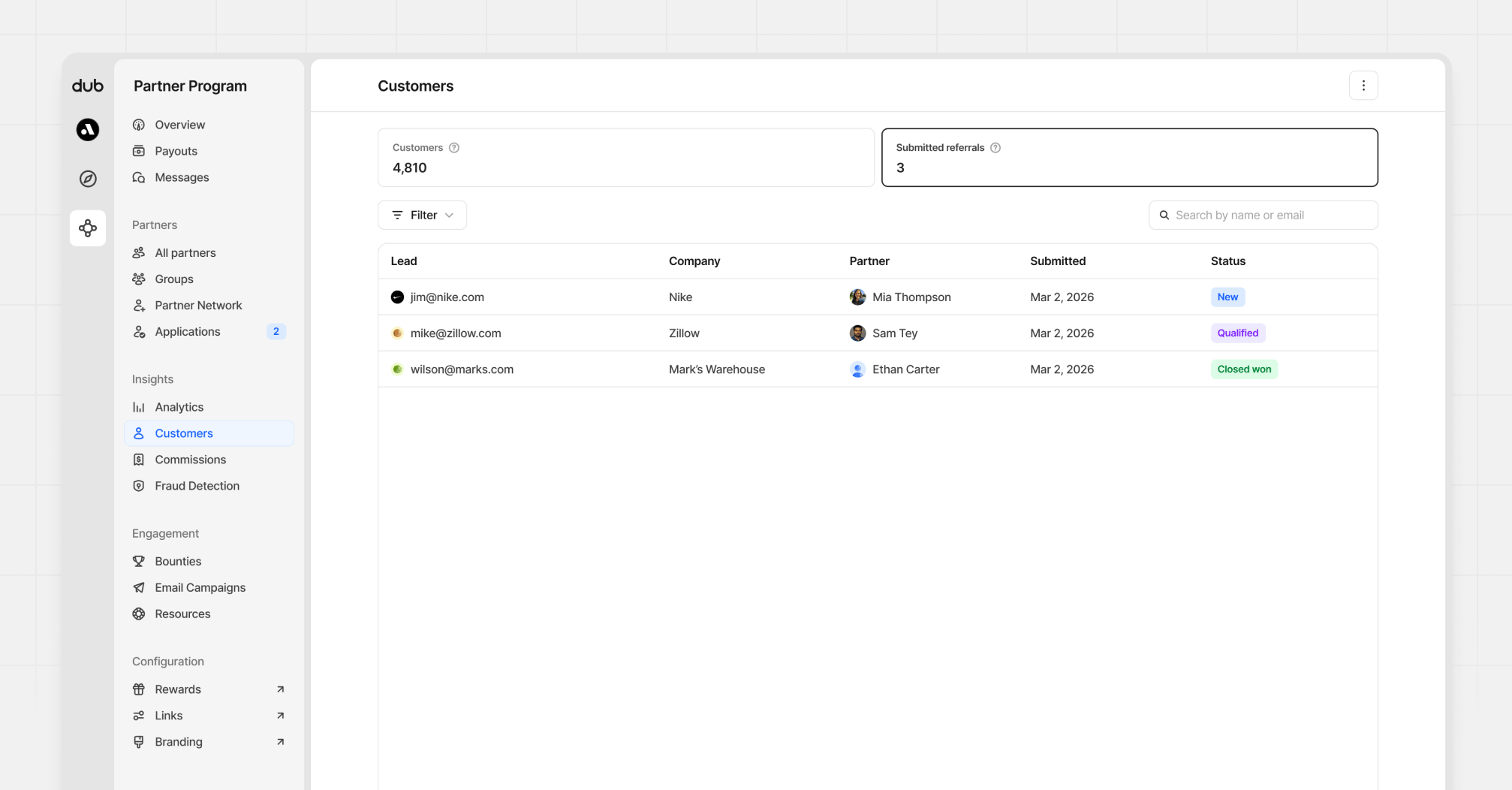
Creating rewards for submitted referrals
To create or update referral rewards, go to your program’s partner groups, open the group you want to configure, and edit its rewards. This is where you create:- Lead rewards for referrals that reach
Qualifiedstatus - Sale rewards for referrals that reach
Closed wonstatus
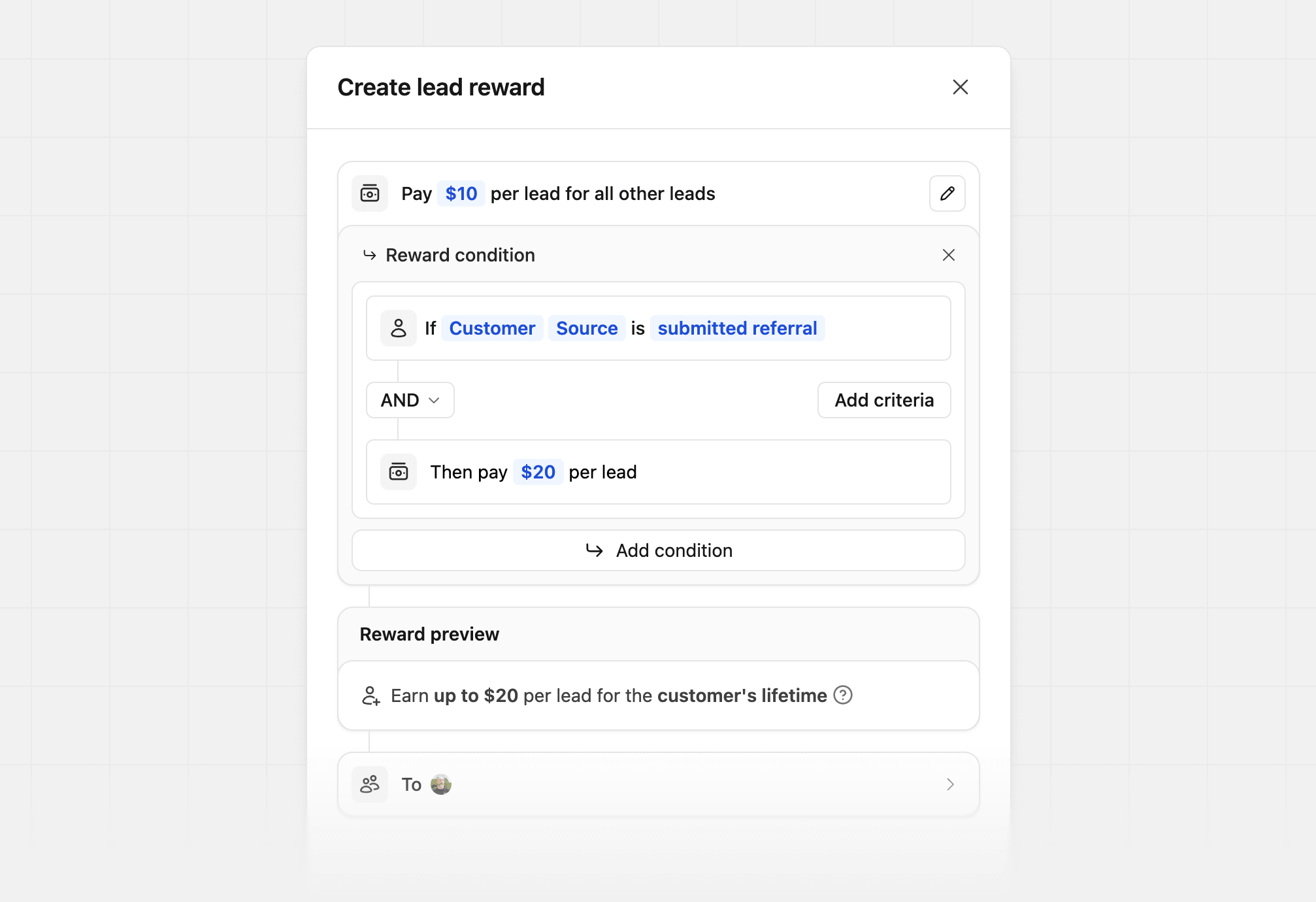
Lead reward
Open the lead reward editor, and add a condition to pay out when the customer source issubmitted referral. If this customer reaches Qualified, the partner then earns a reward.
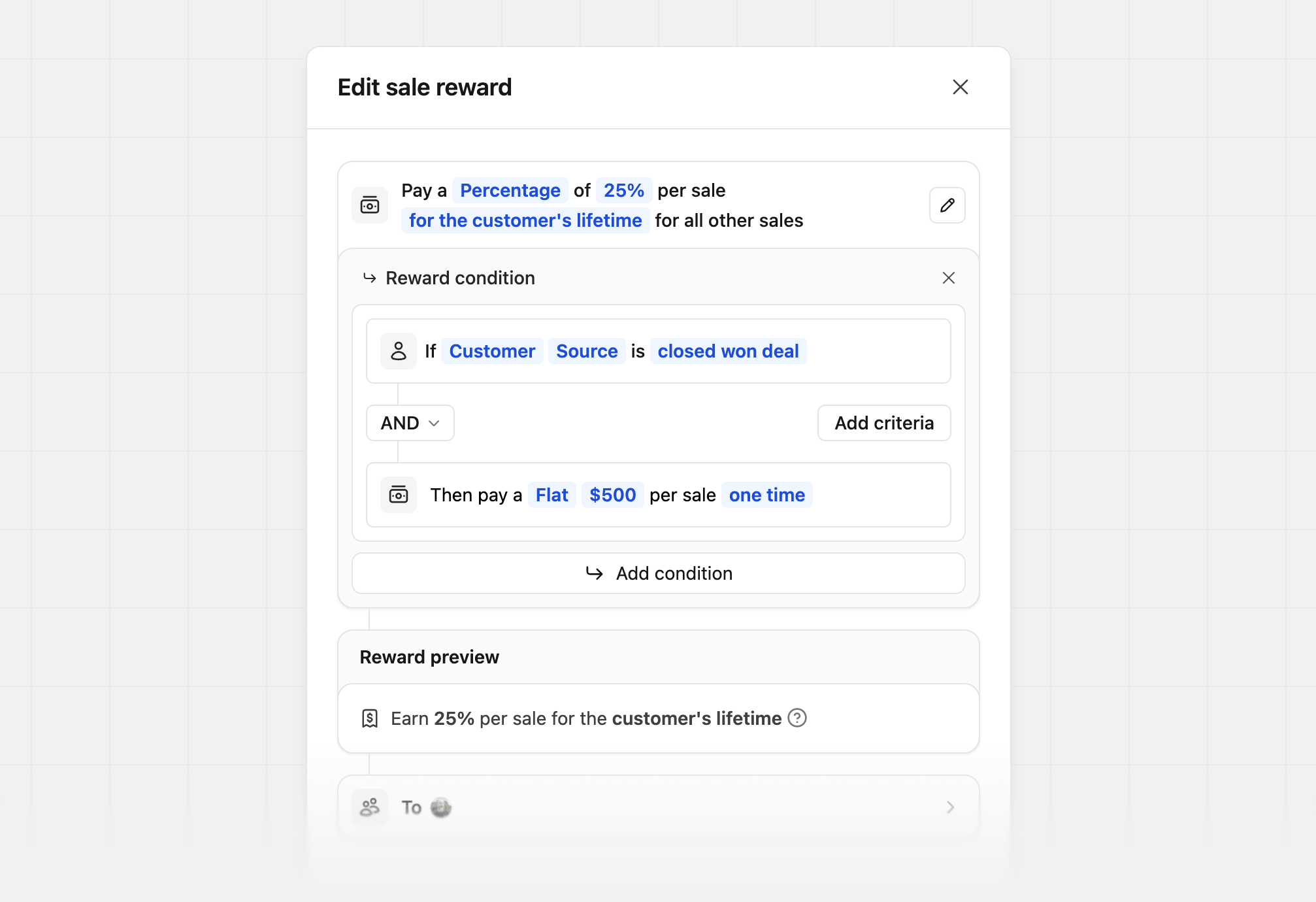
Sale reward
Open the sale reward editor, and add a condition to pay out when the customer source isclosed won deal. This will create the customer record, and the partner will be rewarded.
Managing submitted referrals
To view all submitted referrals, go to Customers in your Partner Program navigation, then click the Partner Referrals tab.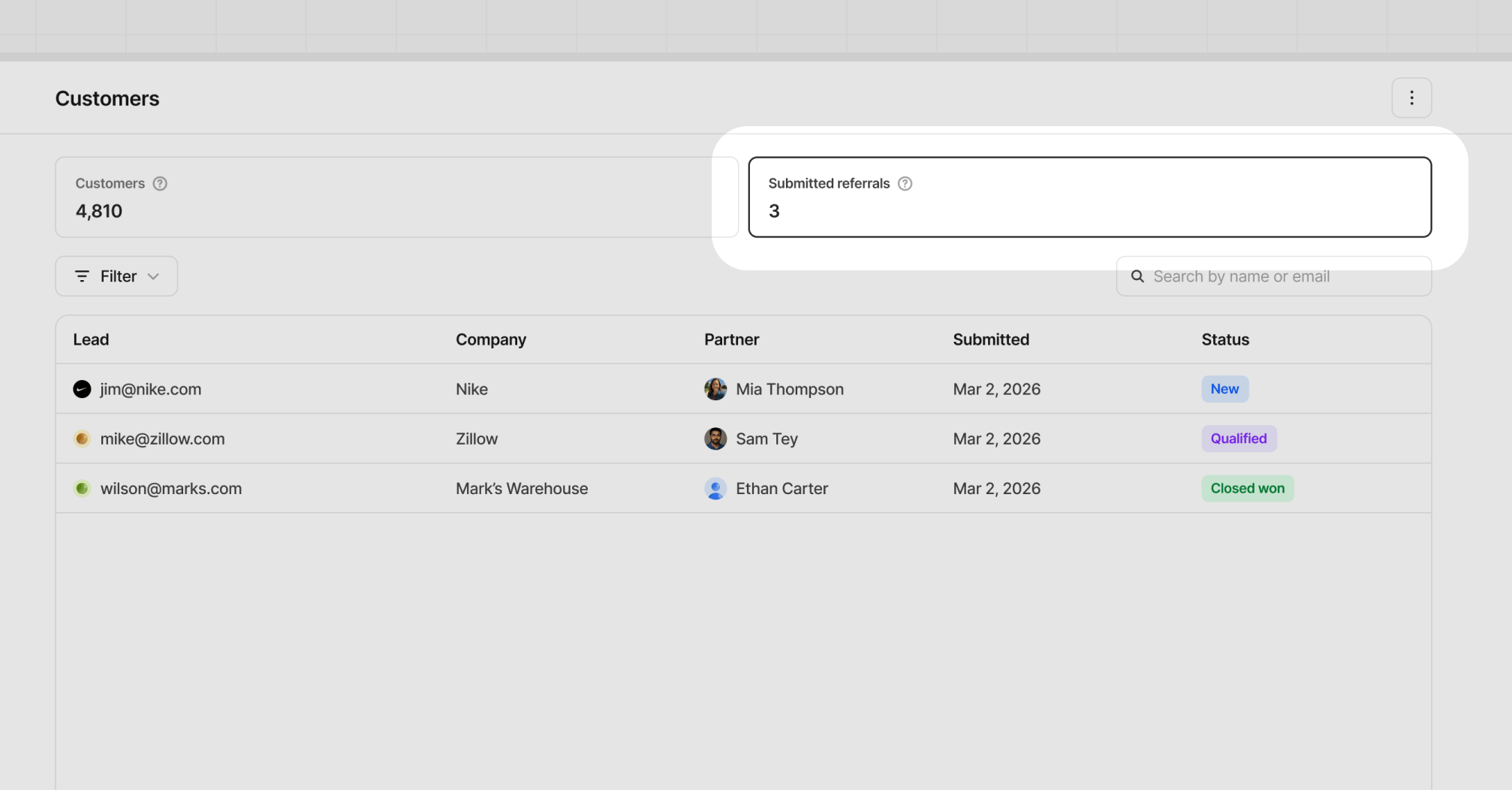
- Lead email
- Company
- Submitting partner
- Submitted date
- Current status
Reviewing submitted referrals
When you click a referral row in the Partner Referrals table, a drawer view opens with the full referral record.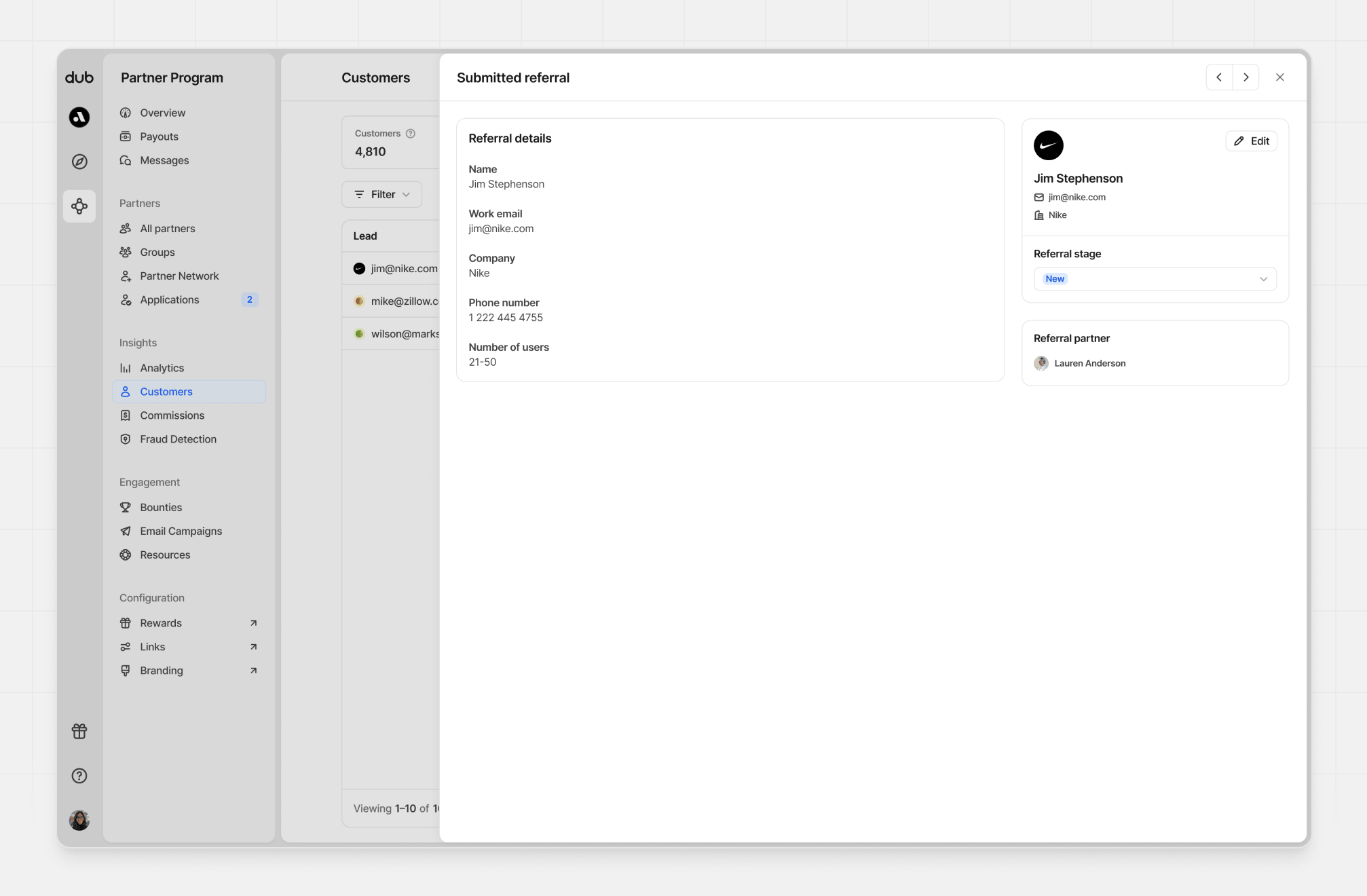
Changing statuses
If you select a new stage, Dub shows Save changes and Cancel actions at the bottom of the drawer before the update is finalized.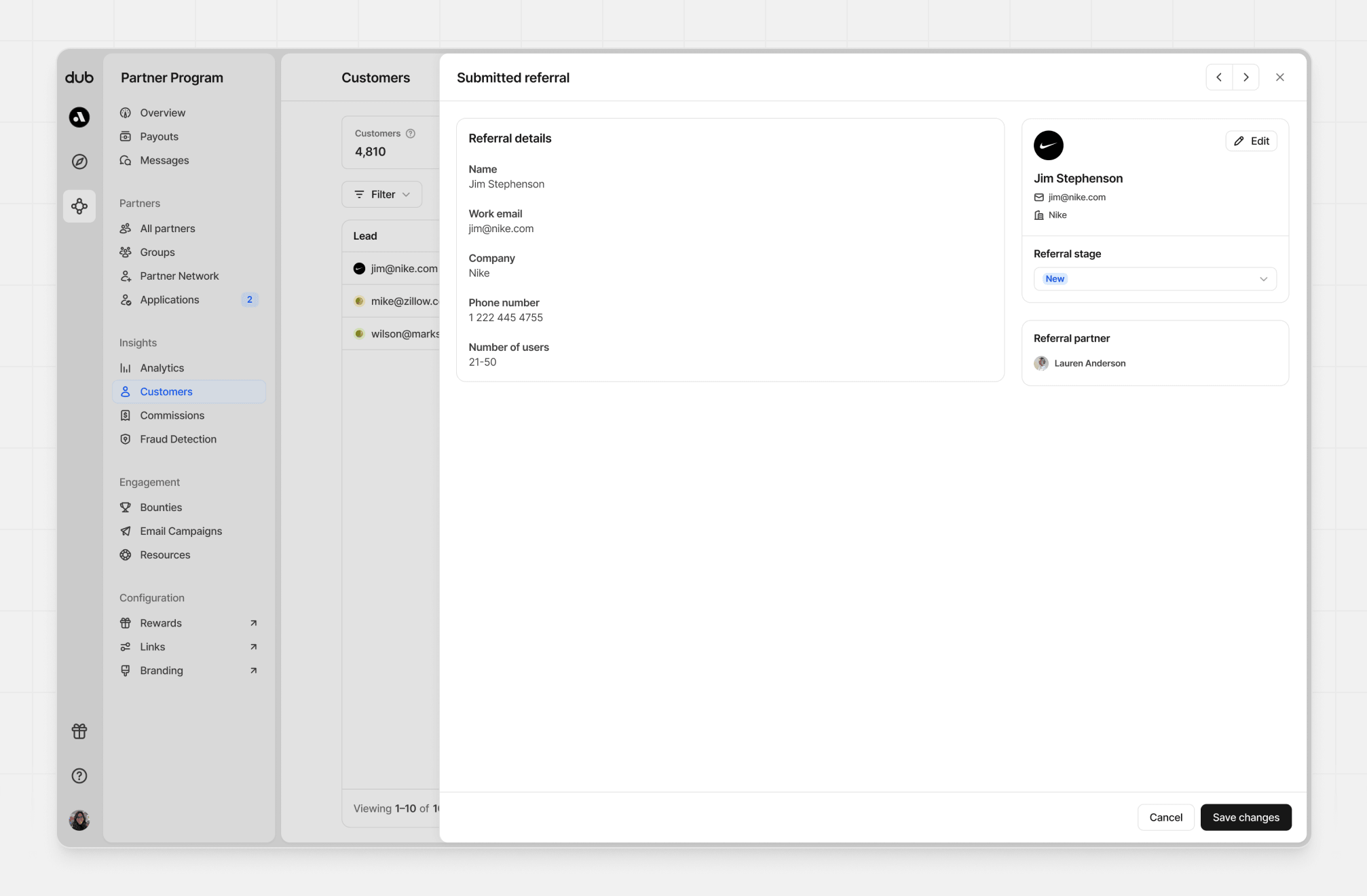
qualified and closed won statuses, additional information may be shown or required.
Qualified status
This change will also ask for an optional external ID.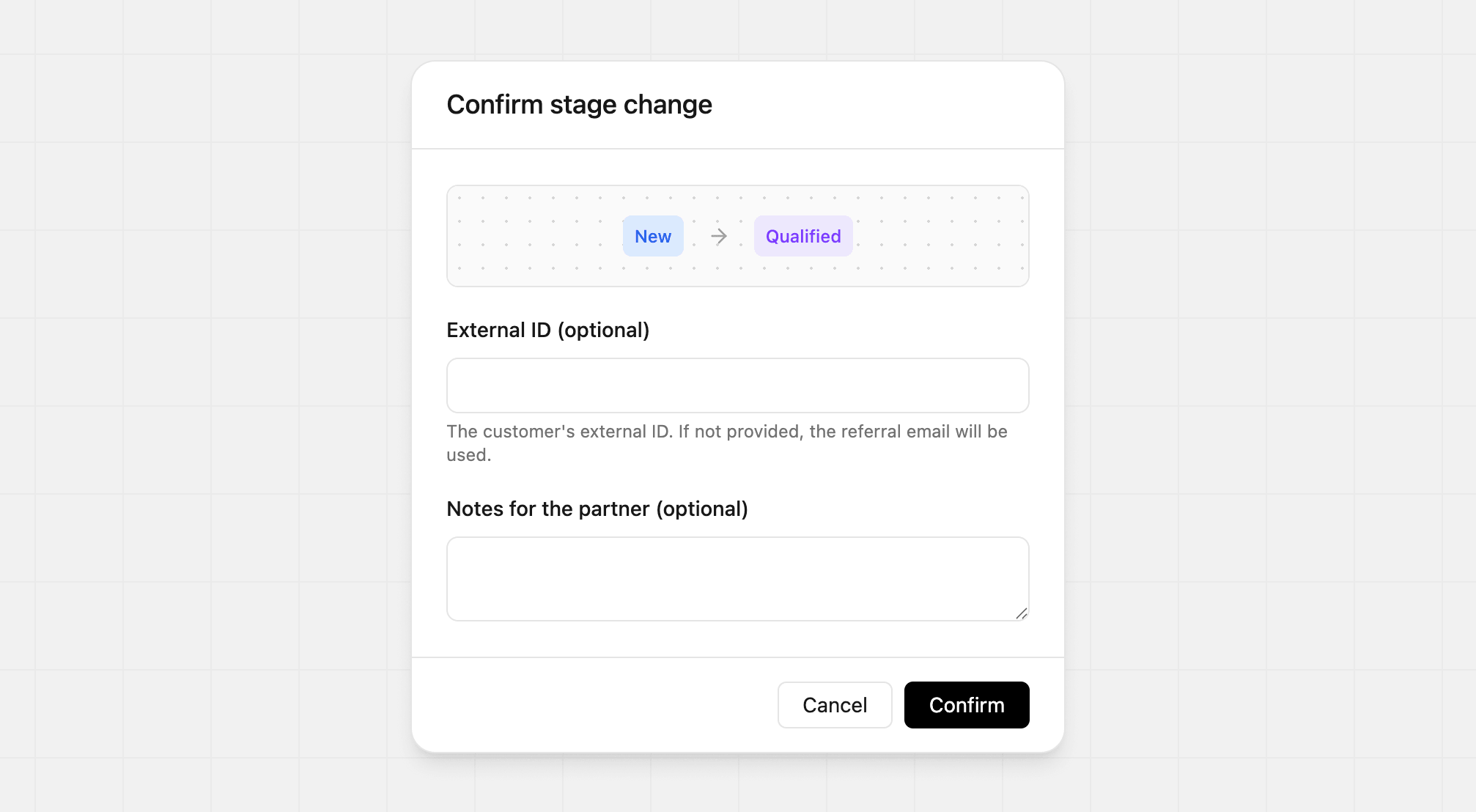
qualified, this creates a lead event.
Closed won status
This change will also ask for a required sale amount and optional Stripe customer ID.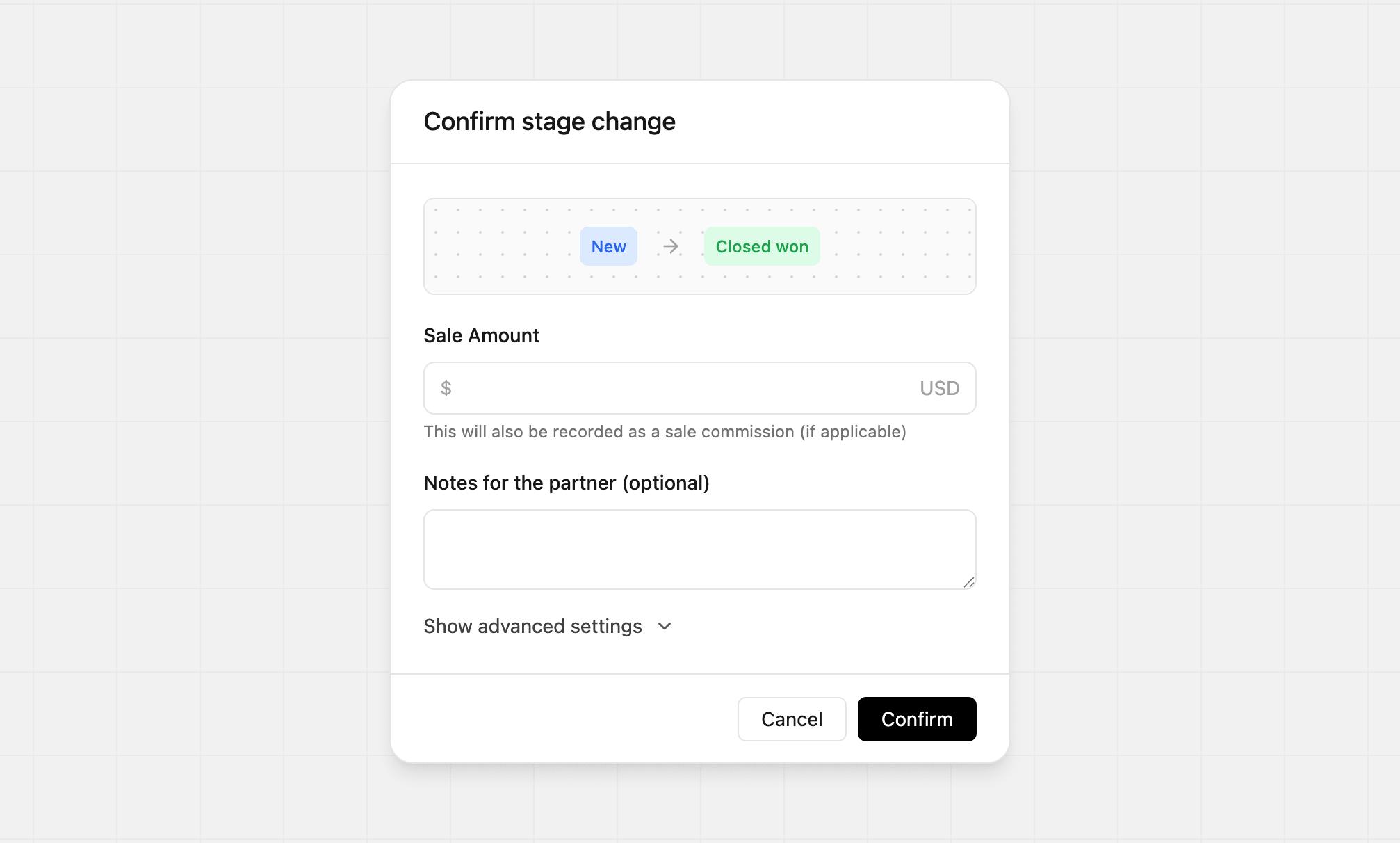
closed won, this creates a sale record.
Referral statuses
Submitted referrals move through a simple pipeline inside Dub:| Status | What it means |
|---|---|
| New | The referral was submitted and has not been reviewed yet. |
| Qualified | The referral is valid and worth pursuing. This also creates a lead event. |
| Meeting | The referred prospect has progressed to a meeting stage. |
| Negotiation | The referred prospect is in an active deal cycle. |
| Unqualified | The referral is not a fit and will not move forward. |
| Closed won | The referral became a customer. This also creates a sale record. |
| Closed lost | The opportunity did not convert. |
Status rules
- All referrals start in New
- Unqualified, Closed won, and Closed lost are final states
- You can move referrals forward or backward between Qualified, Meeting, and Negotiation
- A referral must have an associated customer before it can be moved to Closed won